






PRINTING / DX / AI / IT
DX, AI and IT, grounded in printing.
Quality printing depends on presses, skills and the systems that connect the work. With eight offset presses and 66 printing units, Bunseikaku brings first-hand production experience to digital ordering, workflow management and everyday use of generative AI.
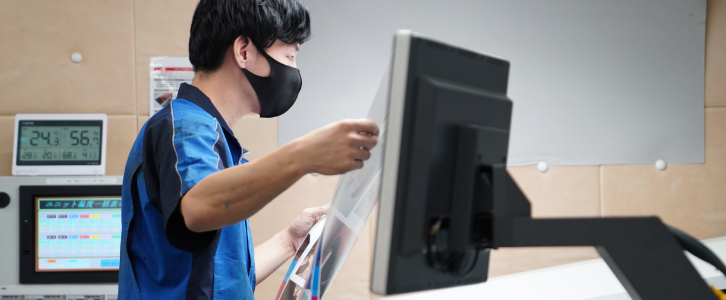
Understanding the work behind every print job.
A print job connects quotations, artwork, scheduling, quality checks and delivery. Working with our own operations helps us identify repeated checks and data entry, and understand who needs which information. We start printing and workflow discussions with the practical requirements of the work.
Explore our printing factory →Our published work in DX, AI and IT
01 / ORDERING
Digital ordering | Print Navigator
Print Navigator connects quotation and order discussions with order-status information online. We develop it around the requirements of printing work. Our product page distinguishes the existing service from series that are still being tested.
Read the published case (Japanese) → Current Print Navigator services →02 / PRODUCTION
Production DX | Connecting workflow information
Our Showajima factory has published its experience with KP-Connect Pro: moving from paper-based job management towards shared schedules and working information. The case study describes implementation from the production and production-management perspectives.
Read the published case (Japanese) →03 / GENERATIVE AI
Generative AI | Planning, writing and organising information
Our DX logbook describes using generative AI for draft communications, reports, ideas and planning. People remain responsible for reviewing the facts and purpose before using an output. We share perspectives on combining printing experience with AI.
Read the published case (Japanese) →From printing DX to AI learning and promotion.
AI CREW | Learning to use generative AI at work
Discuss practical AI learning through AI CREW: which tasks to support and how to review the results. Tell us who will take part, the work they want to improve and their current experience, so we can discuss content and format.
Discuss AI CREW →DX and AI consulting with Takeshi Oku
Takeshi Oku, who leads DX and AI initiatives at Bunseikaku, is available to discuss workflows, priorities and adoption within your team. Start by defining the current challenges and desired outcomes from production and business perspectives.
Discuss consulting →Promotional materials | Connecting print to the next interaction
Discuss brochures, cards and merchandise alongside websites, QR codes and enquiry routes. Clarify the audience, message and action you want to encourage, then explore planning, creative production, printing and promotion.
Discuss promotion →Where does your printing workflow need attention?
Repeated quotation and order checks
Start by identifying where specifications, quantities, deadlines and changes are recorded, and how the information moves between people.
Progress is difficult to share
Review information held by individual staff or spread across paper and spreadsheets. Clarify who needs to see it and when.
Choosing a useful starting point for AI and IT
Consider routine tasks, organising information and drafting documents against a clear purpose and review process. Define how confidential information and human decisions will be handled.
Discuss the printing and the workflow together.
Alongside Print Navigator and printing DX, we welcome enquiries about AI CREW, consulting with Takeshi Oku, and promotional materials and campaigns. Tell us how you work today, the challenges and your preferred timing. We will review the scope and discuss the next steps.
Questions about printing DX and AI
Where should printing DX begin?
Start with repeated checks and data entry in quotations, orders, artwork and production management. Mapping information, responsibilities and decision points helps establish priorities before selecting tools.
Can I enquire about printing alone?
Yes. You can discuss books, brochures, cards, special papers, UV printing and environmental requirements. A printing enquiry does not require adopting a digital system.
Does AI decide prices or approve print quality?
Enquiries through this site are reviewed against project specifications and conditions. AI output alone does not confirm price, delivery or quality. Human review and production judgement remain essential.
Where can I check Print Navigator availability?
The Print Navigator page separates the existing service from test versions. Please contact us about usage and the conditions relevant to your project.